No single view of who approved what
Permissions are scattered across tools, so nobody sees status at a glance.
How MyConsent helps
Every photo and video gets a clear consent status and history in one workspace—no more guessing from spreadsheets.
MyConsent helps teams collect, manage, and document consent for photos and videos, so every asset has a clear permission status, a full history, and less legal uncertainty.
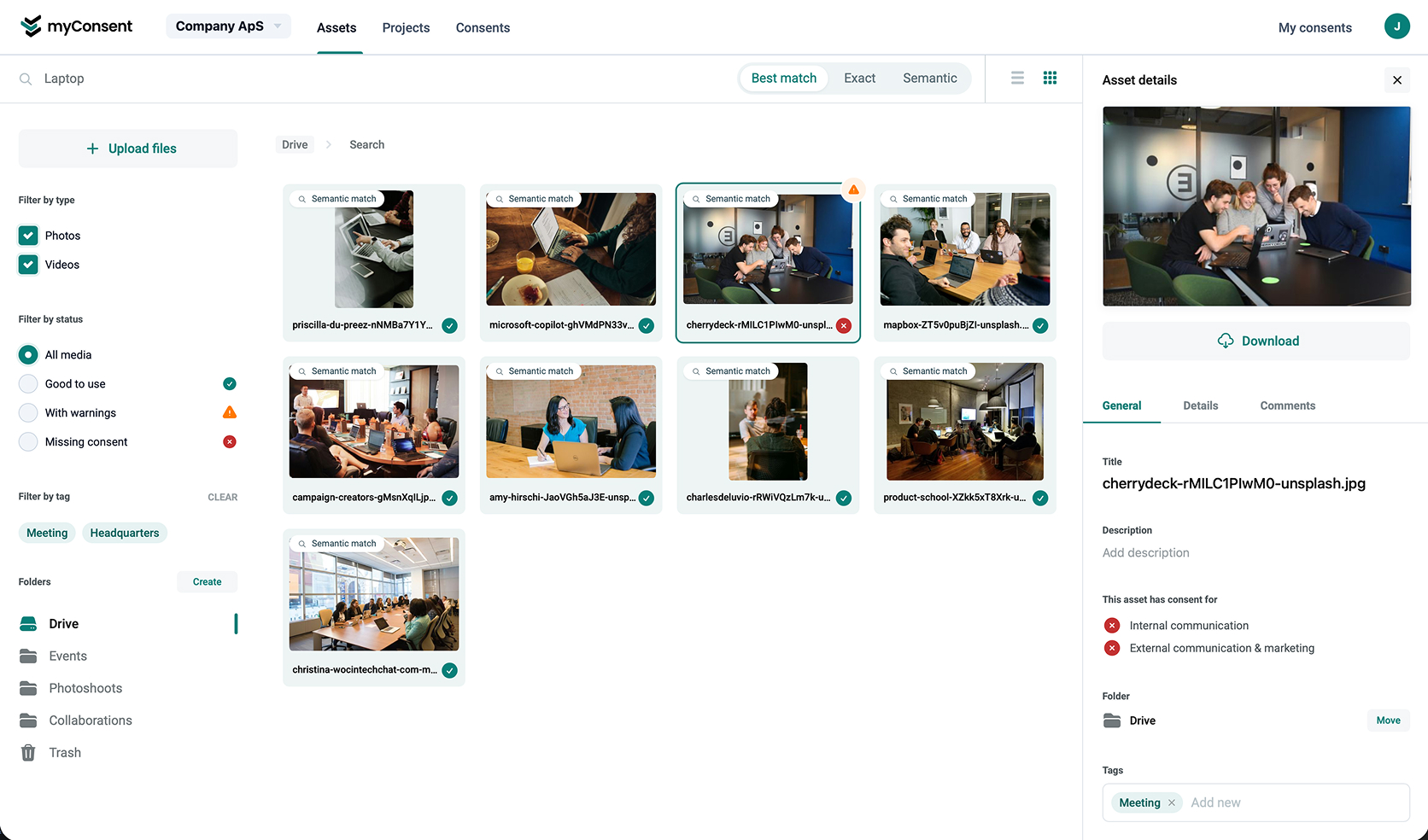
Content ends up in folders, drives, and chats while consent sits in PDFs, emails, or memory—so teams carry operational and legal risk.
Permissions are scattered across tools, so nobody sees status at a glance.
How MyConsent helps
Every photo and video gets a clear consent status and history in one workspace—no more guessing from spreadsheets.
One-off emails and forms break down when volume grows or deadlines tighten.
How MyConsent helps
Use templates and repeatable flows to request consent in bulk, track responses, and reduce manual chasing.
When proof is asked for, evidence is often incomplete or stuck in someone's inbox.
How MyConsent helps
Decisions and changes stay timestamped with the asset—ready when legal, partners, or auditors ask.
Teams aren't sure whether earlier consent covers new channels or formats.
How MyConsent helps
Consent stays tied to each asset, so scope and limits stay visible when content is reused.
Marketing, legal, and ops burn time aligning who owns what—instead of shipping.
How MyConsent helps
One shared place for assets, requests, and decisions cuts follow-up and keeps teams aligned.
Upload and organize photos and videos, tag the people involved, create consent templates, send consent requests, and track every approval, decline, or withdrawal in one place.
With MyConsent, your team can move faster because consent is tied to the actual asset, not buried in disconnected documents.

Upload and organize your photos and videos in one shared workspace.
Tag people and assign the right consent type for each asset.
Send consent requests with clear legal descriptions.
Track responses, withdrawals, and keep audit-ready history on every asset.
Align with teams that take consent seriously
Book a demoKnow what can be used, what is pending, and what should not be published.
Request and manage consent without chasing spreadsheets, inboxes, or scattered files.
Give marketing, content, and admin teams one shared source of truth.
Keep a timestamped history of consent decisions and changes.
Avoid publishing photos and videos without confidence in the underlying permission.

Three connected parts of the same workflow — each one keeping consent visible where it matters.
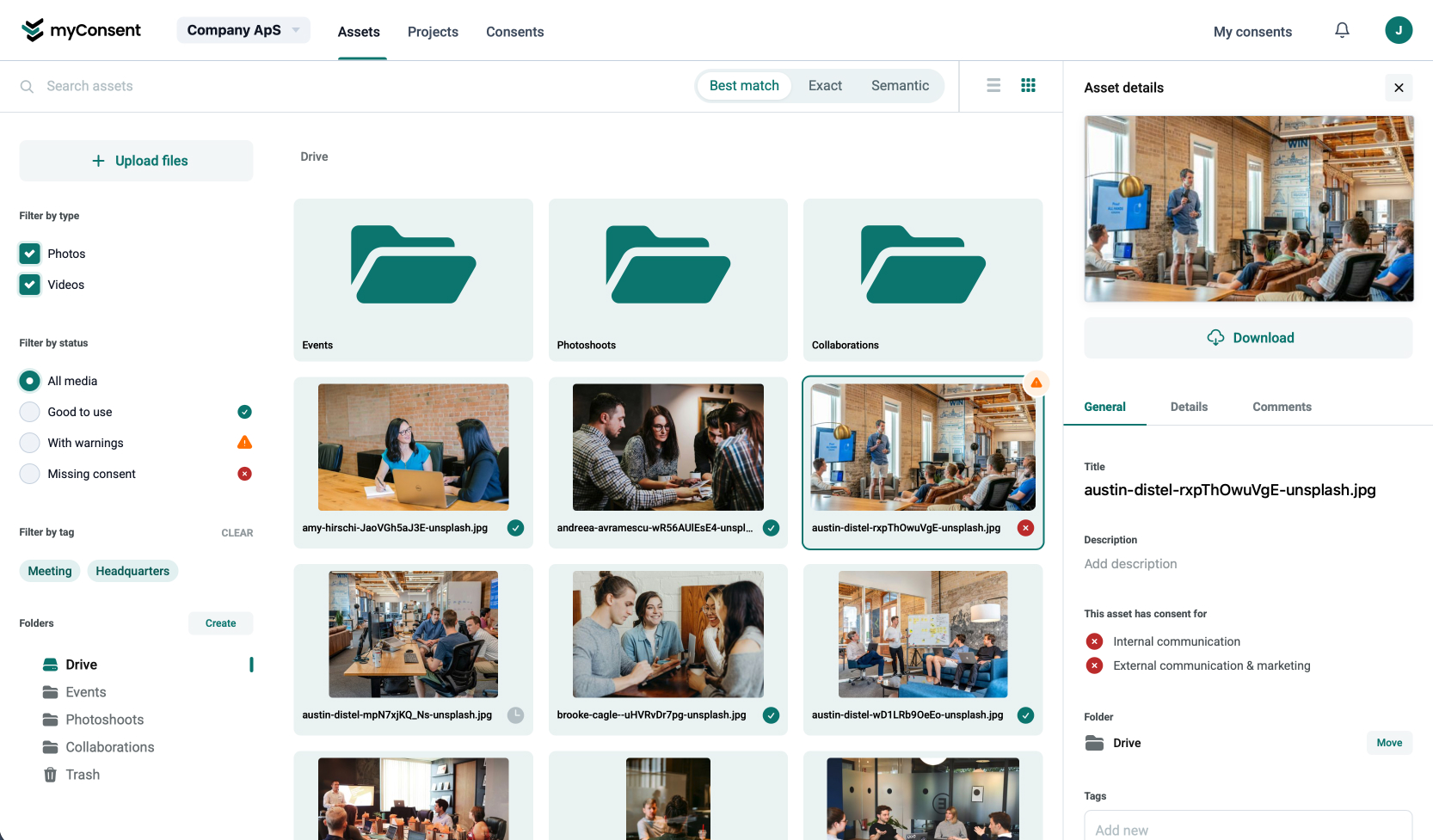
Workspace
Centralize photos and videos in a shared workspace with tagging, projects, and filters—so people and consent types stay visible next to the asset.
Requests
Use templates for repeatable flows, tailor consent types to each situation, and send requests that explain purpose in plain language alongside the legal detail your team needs.

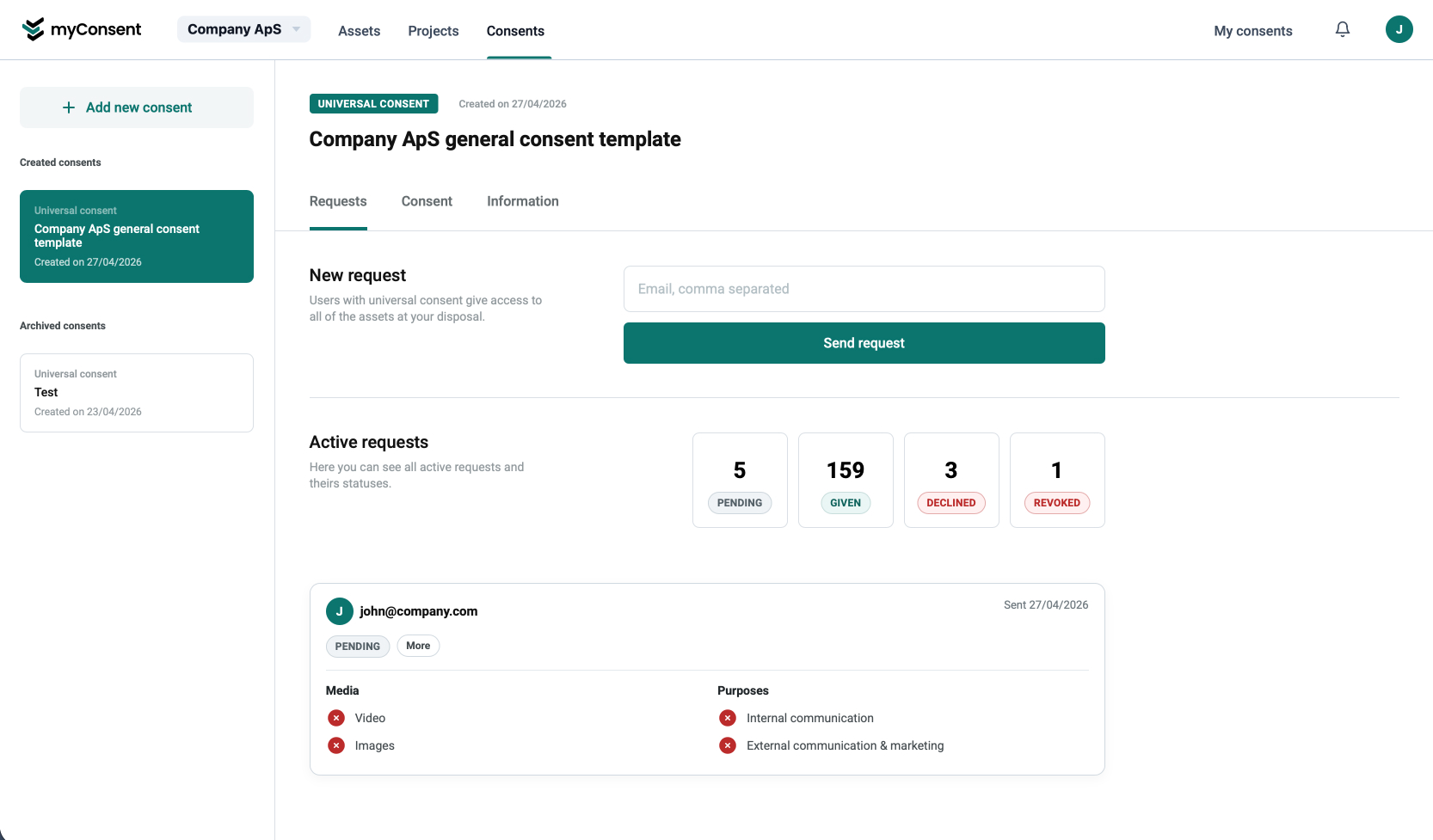
Visibility
Move past random spot-checks and email threads. Track approvals, declines, updates, and withdrawals in one system of record—so when someone asks if you can publish, the answer is documented.
Whether you ship campaigns, cover events, or steward member imagery—keep consent next to the asset so approvals stay visible when media moves.

Connect shoots, libraries, and launch timelines to consent status—so channels and stakeholders see what is cleared before publish.

From registrations to on-site capture, track permissions alongside folders of photos and clips instead of one-off inbox threads.

Document consent once and reuse imagery responsibly across seasons, sites, and member communications.

Keep approvals scoped per brand and campaign—without mixing evidence or losing track of who signed for what.

When content comes back into rotation, rely on a durable record tied to each asset—not memory or scattered documents.
When someone asks, “Do we have permission to use this?”, your team should not have to search old emails or guess. MyConsent gives you a structured record of requests, responses, and consent history, so decisions are easier to defend and easier to manage.

If your team works with media that includes real people, MyConsent helps you stay organized, move faster, and reduce consent-related risk.
Tell us about your team and we’ll reach out to schedule a demo.
Quick answers on who it's for, how consent stays tied to your media, and what that means for your team.
MyConsent is for marketing and communications teams, event organizers, schools and clubs, associations, and any organization that publishes photos or video featuring identifiable people. It keeps consent documentation clear across the full content lifecycle.
Upload and organize media in a shared workspace, tag people who appear in each asset, and link consent records directly to the relevant files. Permission status stays visible next to the media, not buried in separate paperwork.
MyConsent supports GDPR-related consent management with a documented history of requests, approvals, withdrawals, and updates. Full compliance still depends on your organization's processes and legal obligations, but MyConsent gives you the audit trail and documentation to demonstrate responsible consent handling.
Withdrawals are recorded and the consent status updates for the relevant person and assets. That helps your team spot content that may need review, restriction, or removal from future use.
Yes. Use it for conferences, corporate events, festivals, sports events, school activities, and other occasions where you capture participant photos and video. Collect participant details and manage consent for content produced during and after the event.
Marketing gets clear visibility into what's approved, what's pending, and what must stay unpublished. That means fewer manual checks, faster production workflows, and less risk of publishing without proper permission.
Yes. Marketing, communications, admin, and content teams share one workspace for consent decisions, so everyone works from the same source of truth.
Yes. Every request, approval, withdrawal, and update is timestamped. When someone asks how a decision was made, the history is there.
Yes, from small teams getting started with structured consent workflows to larger organizations managing bigger asset libraries and cross-team collaboration.

